Microsoft Set To Screw Small Business Again As They Become Desperate To Get Traction For Copilot AI
 David Richards
24 Jun 2026
David Richards
24 Jun 2026

Small business operators in Australia have launched fierce criticism against US tech titan Microsoft, accusing the software giant of using monopolistic tactics to force its controversial Copilot AI software onto Australian business desktops.
Their latest strategy, which the company initially claimed it was stopping, bypasses traditional app store controls, mimics aggressive consolidation tactics, and has sparked widespread backlash from small business administrators and IT partners.
Many are now calling on the Australian Competition and Consumer Commission (ACCC) to step in and mirror aggressive antitrust interventions recently enacted in Europe.
Bypassing the Blockades
The backlash follows a significant shift in how Microsoft deploys its artificial intelligence software.
Just months ago, following an avalanche of global user complaints, Microsoft caved to market pressure and made Copilot removable from Windows 11.
However, that victory was short-lived, with Microsoft seemingly so desperate to gain traction for Copilot that it has moved to integrate questionable Chinese DeepSeek AI technology into its latest enterprise offering.
Instead of utilising the standard Microsoft Store infrastructure, which IT managers can easily block, Microsoft is now piggybacking the Copilot app installation directly onto its core Office desktop application update mechanism.

Microsoft Copilot Pro
The mandatory push targets systems running commercial Microsoft 365 desktop applications. It is scheduled to deploy between mid-June and mid-July 2026, quietly embedding itself into small business infrastructure within a tight 30-day window.
While Microsoft publicly markets this automated deployment as a way to “simplify” ecosystem access, small business operators describe the move as “desperate” and a two-finger salute to their customers, who are forced into a monopoly, with Microsoft set to lift prices shortly for Office 365 apps.
To completely opt out or remove the software, businesses must navigate what critics call a maze of “deliberate friction”.
Rather than offering a universal “off” switch, the controls required to disable Copilot are scattered across the Microsoft 365 Admin Centre and buried deep within the independent settings of individual apps like Word, Excel, PowerPoint, Outlook, and Teams.
Industry analysts point out that this force-install method aligns closely with internal Microsoft strategies.
Leaked corporate documents previously revealed a shifting product focus aimed at creating structural dependency rather than relying on standard product adoption. Faced with an Australian market that is actively seeking and paying for competing third-party AI solutions, Microsoft has chosen to leverage its desktop monopoly to force its own product into the ecosystem.
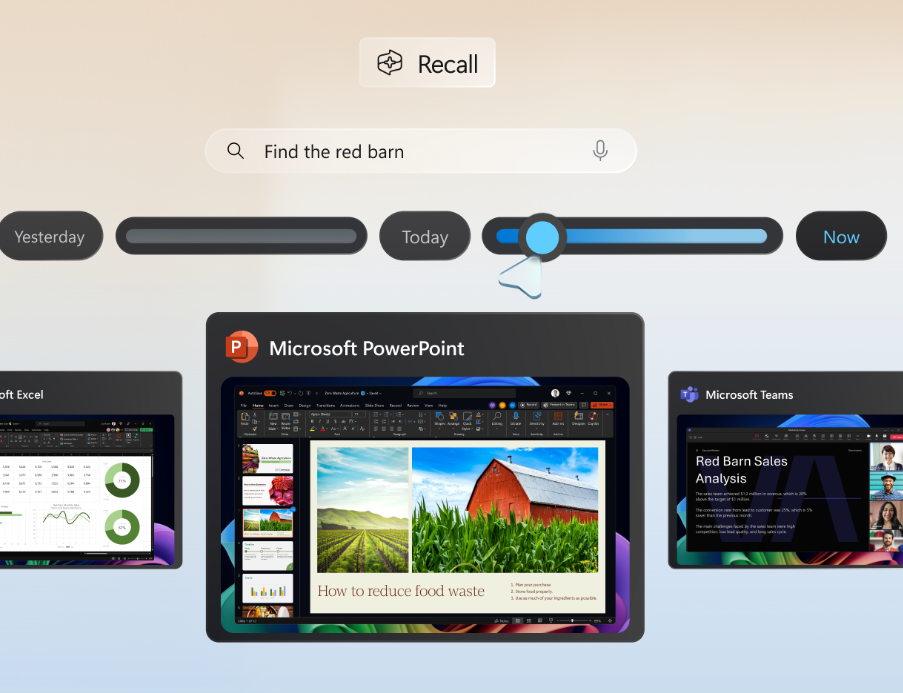
Copilot+ Recall feature.
Australia Left Unprotected
The controversy highlights a glaring regulatory gap between Australia and international markets.
Due to aggressive competition law and strict anti-monopoly enforcement within the European Economic Area (EEA), European users are currently exempt from this mandatory rollout.
Because European regulators heavily scrutinise the bundling of business software to protect open competition, Microsoft has been forced to restrain its deployment methods in the EU. Meanwhile, Australian small businesses, lacking equivalent domestic protections, are bearing the full brunt of the forced integration.
As the mid-July deadline approaches, small business groups warn that the forced rollout will increase IT overhead, disrupt managed systems, and crowd out domestic tech choices, making a strong case for urgent ACCC intervention.
How You Can Nobble Microsoft
Administrators face a multi-layered challenge to block this specific auto-install mechanism.
Because Microsoft is embedding the app via standard productivity software channels rather than a centralised Windows Store framework, an IT administrator must execute a multi-front block across the Admin Centre, Integrated Apps, and Office Cloud Policies.
How to Block the Core App in Integrated Apps
This process prevents universal tenant loading.
Log into the Microsoft 365 Admin Centre.
In the left-hand navigation pane, go to Settings > Integrated Apps.
Locate Copilot in the deployed applications list.
Click it, select Block App, or change the assignment scope to a null or empty user group to prevent the interface from rendering globally.
Disable Optional Connected Experiences
This cuts off the desktop app update pipeline.
Because the rollout piggybacks on standard Office app data channels, you must shut down the analytics pipeline.

Navigate to the Microsoft 365 Apps Admin Centre (via config.office.com).
Create or update your global Office policy, locate “Allow the use of additional optional connected experiences in Office”, and toggle it to Disabled.
Revoke the Underlying Licences
Removes service entitlement at the user level.
Under Users > Active Users, check your user directory.
If Copilot licences are tied to your default business tiers via add-ons, select your users at scale using group-based licensing.
Under the Licences and Apps tab, manually uncheck Copilot for Microsoft 365 to ensure the backend service refuses connection requests.
Deploy Separate Teams Meeting Policies
Closes the independent Teams loophole.
Teams handles AI injection via its own dedicated server network.
Open the Teams Admin Centre independently. Go to Meetings > Meeting Policies.
Choose your global policy (or group policies), find the Copilot toggle under the engagement settings, and switch it to Off.
⚠️ Note on Endpoint Enforcement
The steps above stop the cloud suite from provisioning Copilot. However, if individual local machines have already received the update, the user-side toggle will become visible.
If you cannot block it centrally in time, users must manually navigate to File > Options > Copilot inside Word, Excel, or PowerPoint on their local machine and untick Enable Copilot.